
Fitn Guard One · Coming soon
Fingerprint door access, built into Fitn.
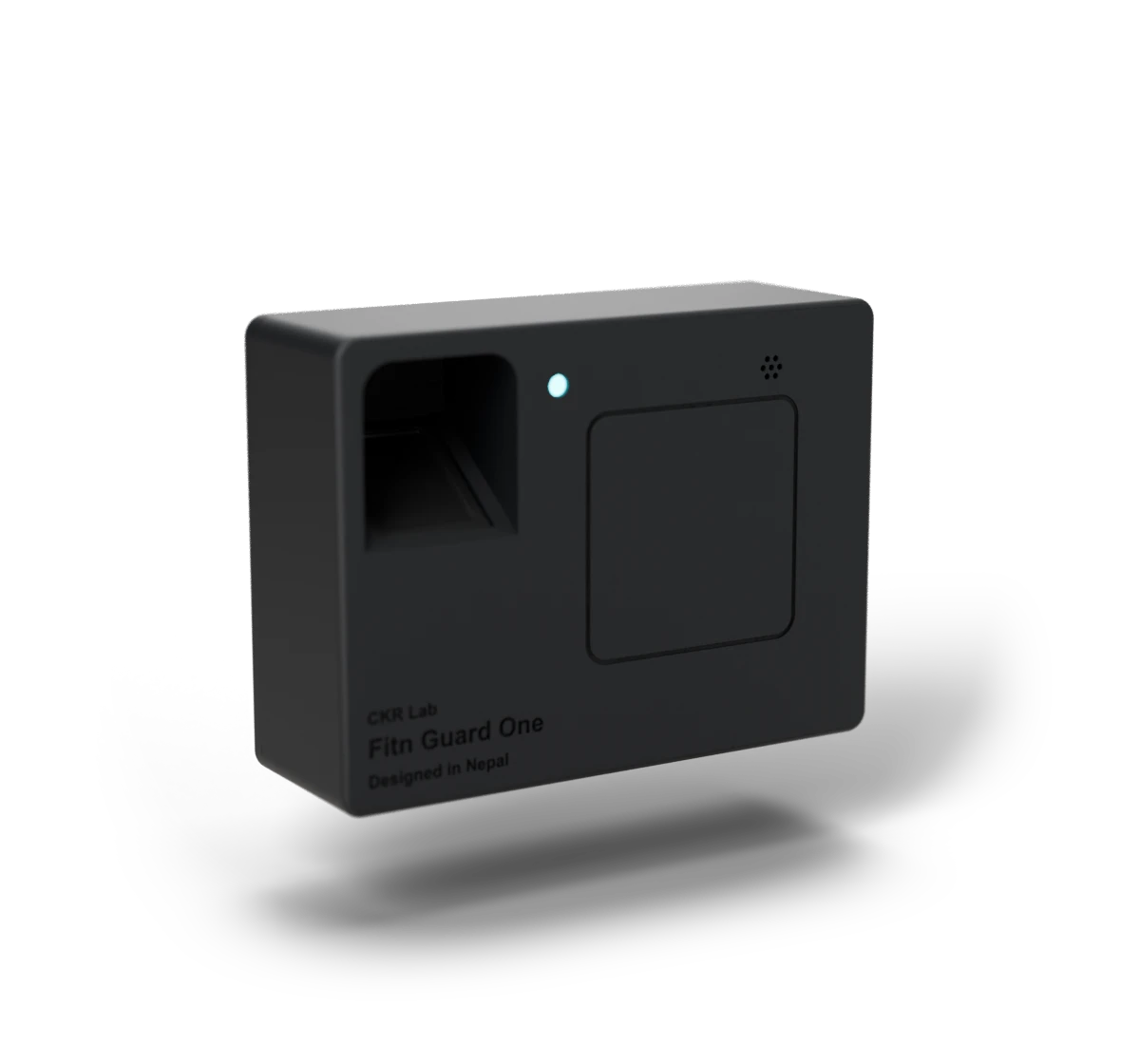
Fitn Guard One mounts at your entrance and works with the Fitn app. Members, staff and employees let themselves in with a fingerprint, and every entry lands in Fitn. In black or grey, with RFID cards as an option.
Coming soonto the App Store and Google Play
Order it from the Fitn app when it launches.
What it does
Your door, connected to your desk.
Fingerprint entry
Members, staff and employees open the door with a fingerprint.
RFID cards, if you want them
With the RFID option the same unit reads cards too, under the same rules.
Check-ins in Fitn
Every entry is recorded in Fitn as a check-in, against the member's plan.
Members see it too
In MyFitn, the member app, members see their check-ins, their plan and when it ends, and can check in from their phone.
Staff attendance
Staff and employee entries count as staff attendance, kept apart from members.
How the door decides
The door follows each member's plan.
A member with an active, paid plan is let in. As the owner, you can choose to also let in members with no plan, an expired plan or a payment due. Each of those entries is labelled in Fitn, so the desk can follow up.
- No plan
- Plan expired
- Payment due
Setup
From order to open door.
Order from the Fitn app
Choose your options and see the price inside Fitn.
CKR Lab verifies and ships
We confirm your order and send the board ready to use.
Mount it and connect Wi-Fi
Fix it beside your entrance with two screws and join your Wi-Fi.
Enroll fingerprints
Add fingerprints from the Fitn app, and give out cards with RFID.
Options
Make it yours.
Choose a colour, a reader and a mount. You'll see the price and order in the Fitn app.
Make all three choices to see your Fitn Guard One.
At a glance
Fitn Guard One
- Entry
- Fingerprint · RFID card optional
- Colours
- Black · Grey
- Connectivity
- Wi-Fi
- Setup
- In the Fitn app
- Readers
- One per institute
- Ordering
- In the Fitn app, verified by CKR Lab
- Mounting
- Hidden keyholes, or screw ears top and bottom or left and right
- Dimensions
- 116 × 74 × 31 mm
- Power
- 12 V DC adapter (barrel jack)
Common questions
When can I order Fitn Guard One?
Soon. Ordering opens inside the Fitn app, and CKR Lab verifies each order before shipping.
Can members see their own check-ins?
Yes, in MyFitn, the member app, coming soon. Members see every visit, their plan and when it ends, and can check in from the app too.
Can members use a card instead?
Yes, with the RFID option. CKR Lab supplies the cards, and every unit reads fingerprints either way.
What colours does it come in?
Black or grey. You choose when you order.
How is it mounted?
With two wall screws: on hidden keyholes, or through screw ears above and below or at the sides. You choose when you order.
How much does it cost?
You see the price in the Fitn app, for the options you choose, when ordering opens.
Do I need Fitn to use it?
Yes. Fitn Guard One is set up, and fingerprints are enrolled, from the Fitn app.
How many readers can I use?
One reader per institute in this first release.
Can I use Fitn without it?
Yes. Front-desk check-in in Fitn works without door hardware.
Fitn first, then the door.
Fitn and Fitn Guard One are coming soon. Fitn comes first; add the door when Fitn Guard One is ready.
Coming soonto the App Store and Google Play